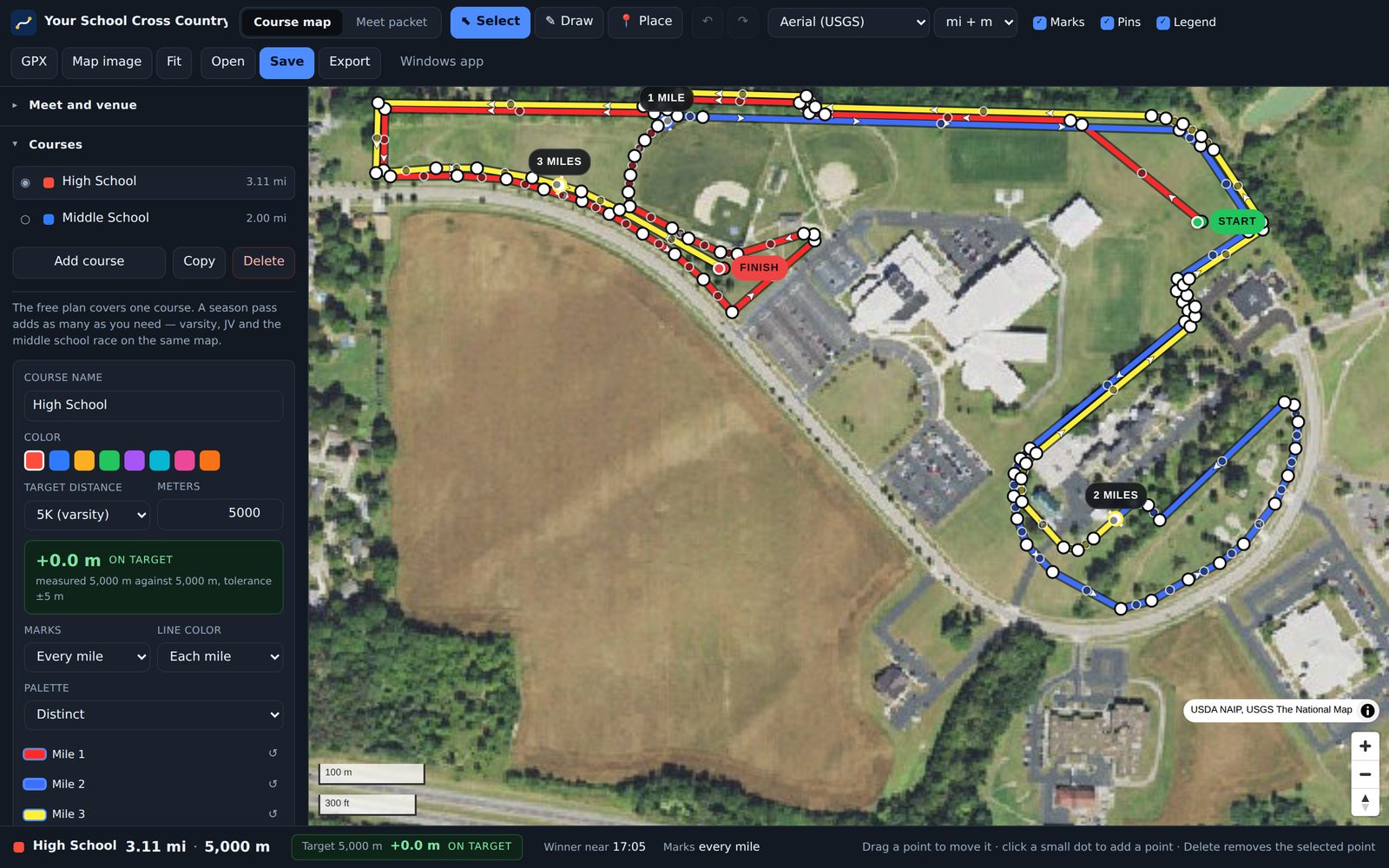
Draw your cross country course on an aerial map. It will tell you how long it really is.
CourseChalk measures the route to the meter and puts each mile mark where the mile really falls. Then it prints the flyer and both meet packets, with your course maps already in them.
Free to try, in your browser. Also for Windows 10 and 11.
What it does
Three things, all kept in one meet file that you open again next year.
-
Measures it properly
Every distance is solved on the WGS84 ellipsoid, not a sphere. The shortcut most map tools take can be off by a dozen meters over a 5K. That is the gap between a true 5K and a course nobody trusts.
-
Colors it by mile
The line changes color at each mile, and each mark lands where the mile really falls. On a two-lap course, it knows mile two is on lap two. Show miles, kilometers or both. Pick a palette, or set each mile's color yourself.
-
Prints the paper
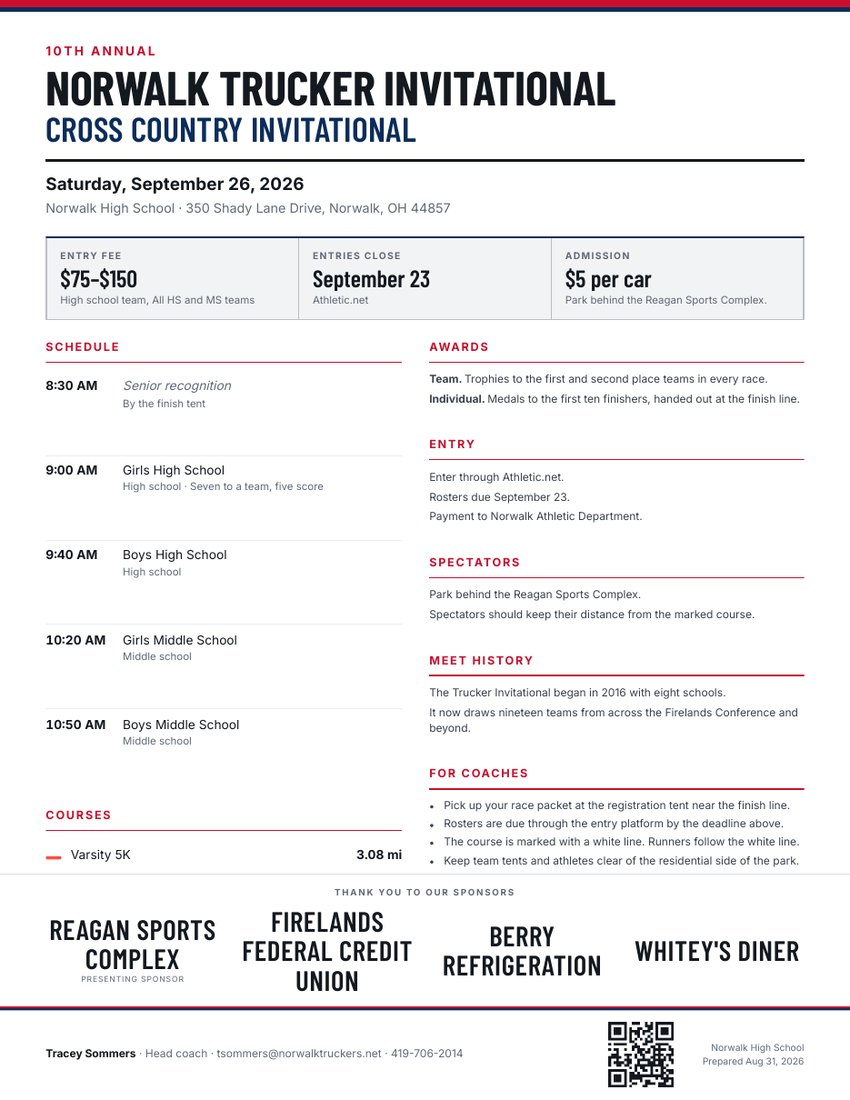
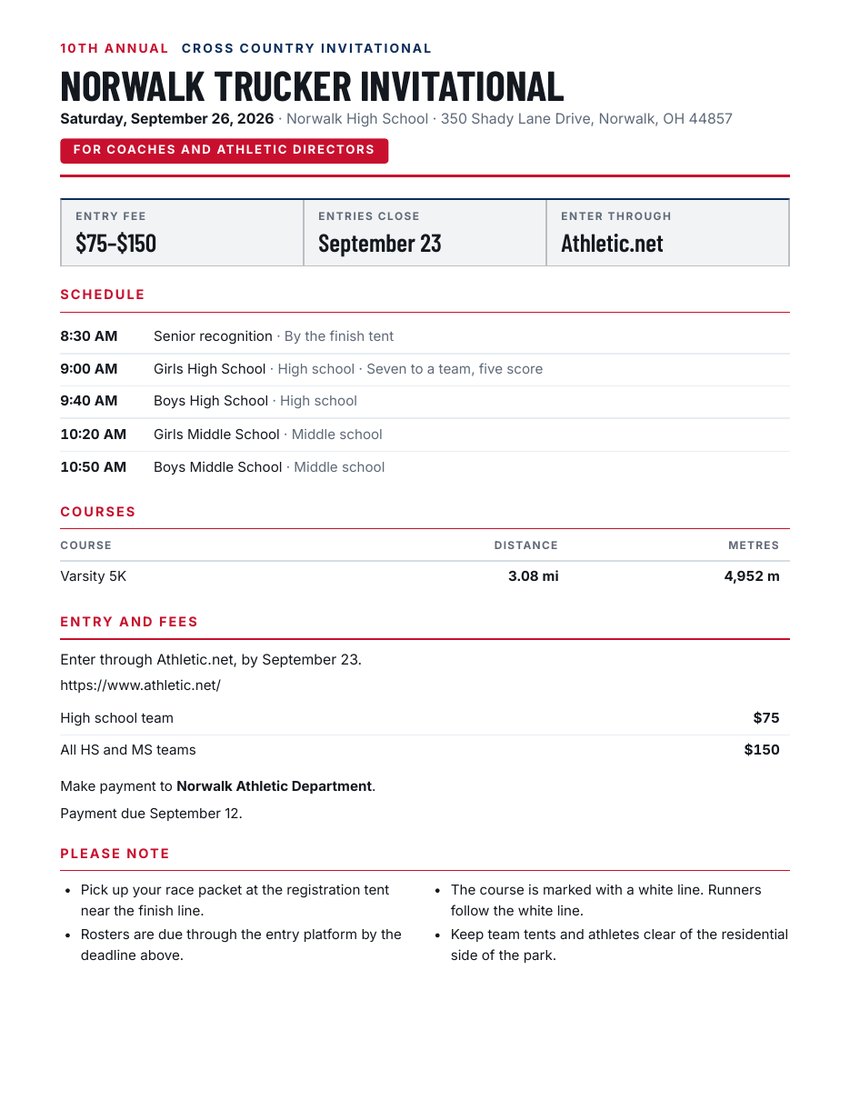
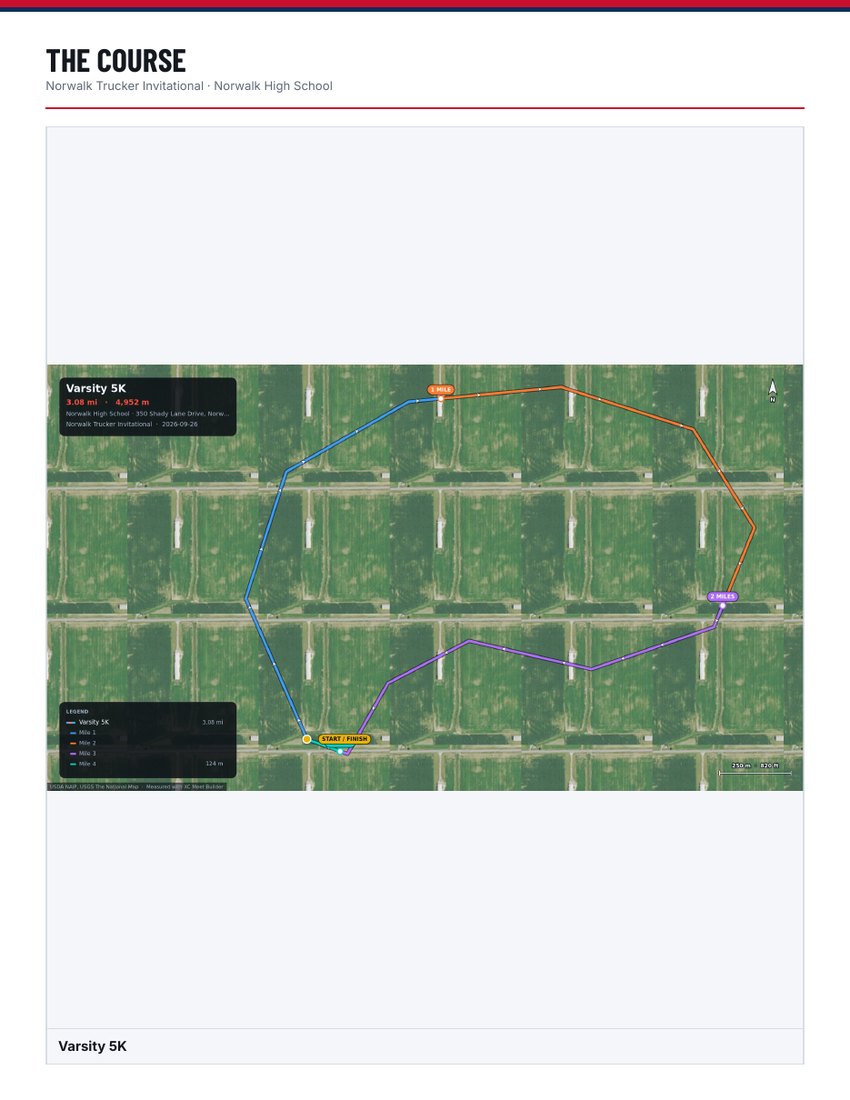
Type the address, races and fees once. You get a flyer, a coaches packet, and a parents and athletes packet. Each one carries only what that reader needs, and the course maps get their own pages.
How it works
The first meet takes about twenty minutes. Next season takes five: the venue, the course, the policies and the sponsors are all still in your file.
- Find your venue by its street address, its school or its town. The map goes there.
- Click along the route the runners take. The distance updates with each point, so you can stop at 5,000 meters exactly.
- Walked it with a GPS watch? Import the GPX file. Have last year's map as a PDF or photo? Lay it over the aerial and trace it.
- Drop markers for tents, parking and restrooms.
- Type the races, start times, fees and the notes you send every year.
- Export the map as an image, or the whole packet as one zip of PDFs.

Who makes this
I coach high school cross country in Ohio. I built CourseChalk for our own meet: to draw the course, know what it really measures, and type the flyer and packets once instead of every fall.
A real meet runs off it this fall. It is new, and you are early, so you will find things I have not. Email support@coursechalk.com and I will fix them.
Ethan Bores
High school cross country coach, Ohio
What it prints
The app made these from a real meet. The courses and their measurements are real; the school, logo and contact are placeholders. Print one and hold it up to what you sent out last year.
What it costs
The free version runs a whole meet on one course. Draw it, measure it, and build the flyer and both packets. You export the real documents with a SAMPLE watermark, so you see exactly what you would buy before you pay.
Free
- One course
- Flyer and both packets
- SAMPLE watermark and a “Made with CourseChalk” line
- One sheet at a time
Season pass
- Every course the meet needs — varsity, JV, middle school
- Clean exports, no watermark
- All three sheets in one zip
- Nothing on the paper but your meet
$49 per season
For one coach. Good through July 31, so a pass bought now covers this whole cross country season.
No subscription. The pass ends; it does not renew. Your key arrives by email within a minute, and it stays on your account page if you lose the email. Thirty-day refund, no questions asked.
Stripe sells the pass as merchant of record, so Stripe sends your receipt and handles sales tax. CourseChalk is a service of Bores Sports Technologies.
With PaceChalk or SplitWright, for less: see all plans.
Schools: purchase orders are welcome, Net 30. Email billing@borestechnologies.com for a quote. When your PO arrives, you get an invoice with your PO number on it. Payment is by card only, and a school purchasing card works. W-9 on request.
The Windows app
CourseChalk, PaceChalk and SplitWright in one window, with one sign-in. Save writes the meet file straight to your computer. The map and address search still need the internet.
- Windows 10 or 11, 64-bit. It installs for you alone, so it asks for no administrator password. A school computer can still block it; then use the web app.
- Sign in once from the app with your browser: your CourseChalk pass turns on by itself, and PaceChalk and SplitWright open on your own teams. Saving meets online is in the web app only, for now.
- PaceChalk and SplitWright keep working with no internet. Changes go online when the connection is back.
- It updates itself. A new version downloads in the background and installs when you close the app.
- The installer is not signed yet, so Windows may say “Windows protected your PC”. Click More info, then Run anyway.
Where it stands
Your meets go where you put them. Signed out, a meet plan is a file you save and open, like any document, and it never reaches a server. Signed in, Save keeps it in your account, so the laptop and the office computer open the same meet, and from then on every change saves itself. Download still gives you the file.
An account holds your pass, and the meets you save online. You can draw, measure and export without one. Sign in with Google or with an email and password, and your key is on your account page. A new laptop takes one click, not a search through your inbox. The app checks your pass on your own machine, so one bar of signal at the park changes nothing.
Two limits today. Aerial imagery covers the United States only, from the USGS National Map, and it goes soft when you zoom in close. The venue search finds street addresses, schools, towns and ZIP codes, but not park names. Search the town or the nearest school, then pan to the course.
Your 5K might be 4,860 meters. You will not know until you draw it.
Open CourseChalkAlso from Bores Sports Technologies
-
PaceChalk
Race results and season numbers for cross country and track: splits, team scores and spreads, PRs, age grades, top lists and records.
Demo team free. $49 a year; $99 for a staff. pacechalk.com
-
SplitWright
Workout sheets with a target time for every athlete or pace group, from the race times you already have.
Free to use. $29 a year without the mark. splitwright.com
One account signs in to all three, and together they cost less. See every plan.